

IDIA Pay · Preview

A point of sale that pays your business back.

IDIA Pay is the business side of the Verified Truth Economy: a point of sale built from Modules in The IDIA Hub and signed in with Life by IDIA. It's designed to let a business earn data royalties from the records it chooses to share. You can't download it yet. This page is a preview of what we're building.

In progressNot yet available to download
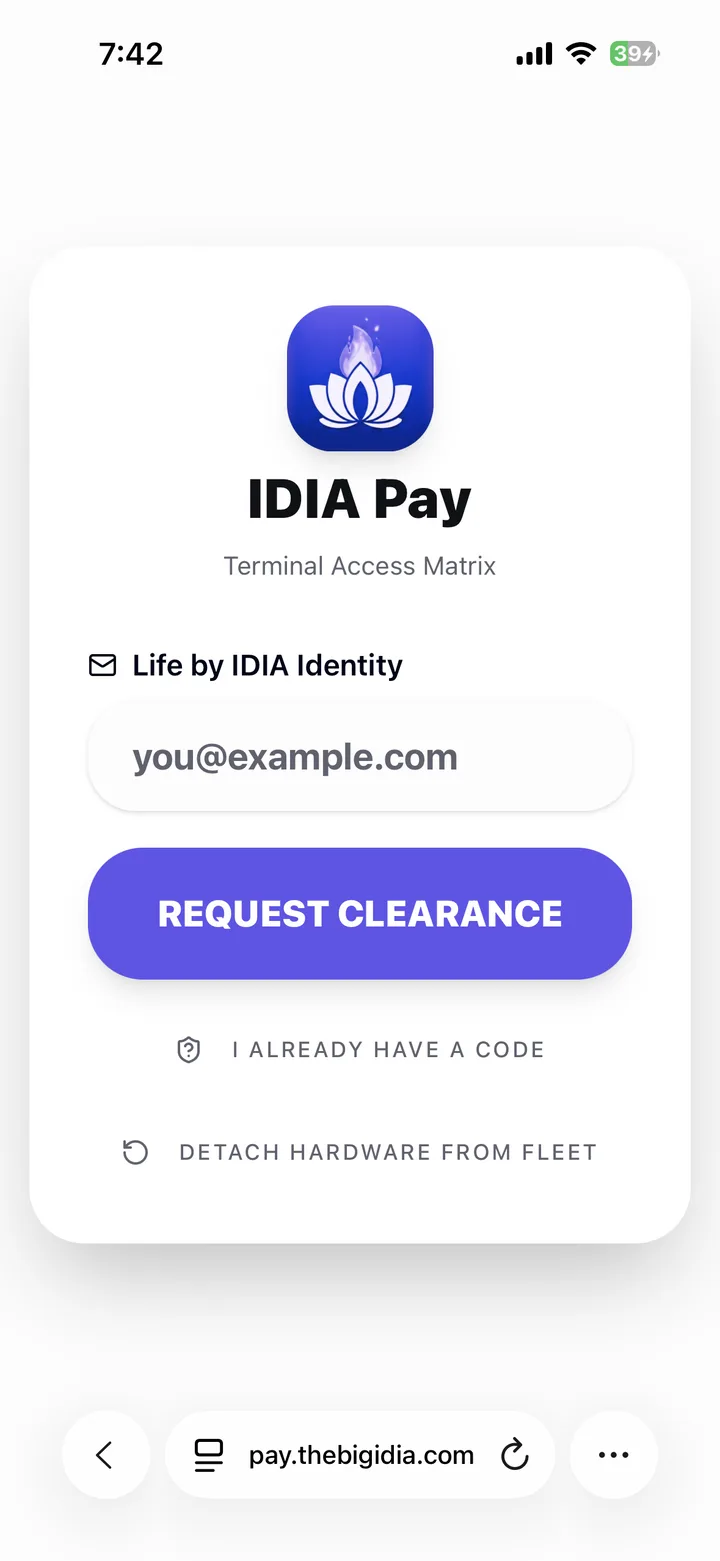
IDIA Pay — Terminal Access Matrix. Staff sign in with their Life by IDIA identity and request clearance, or enter an existing code. Detach Hardware From Fleet releases the device.

Real screenshotIDIA Pay

Terminal Access Matrix

Sign in on any Android device

Three screens from a spare device to a working till.

IDIA Pay runs in the browser and uses your Life by IDIA identity, so any device can become a terminal once it's bound to your business.

  1. 1

    Bind the device

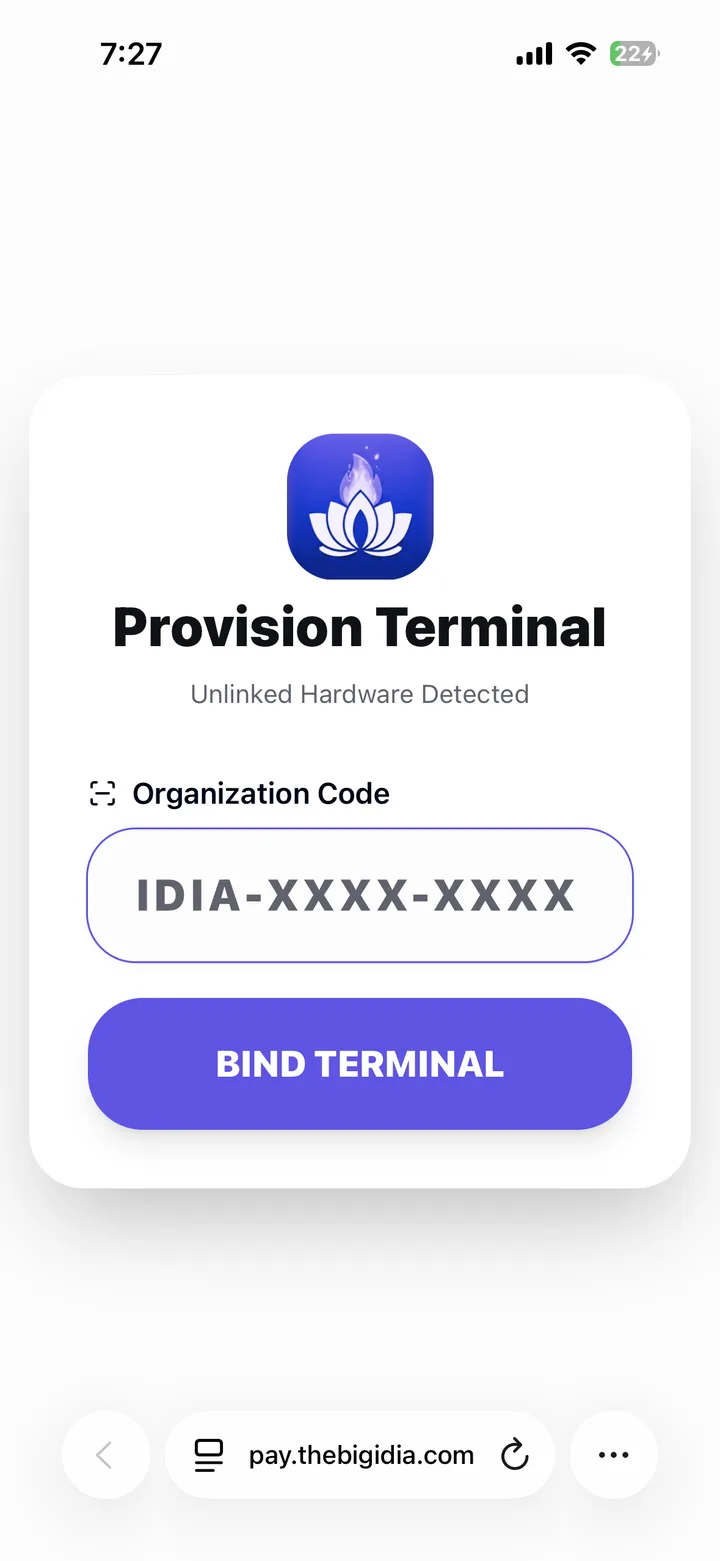
    Open IDIA Pay in the device's browser. It sees unlinked hardware and asks for your business's Organization Code (IDIA-XXXX-XXXX). Tap Bind Terminal.

    IDIA Pay — Provision Terminal. A new device shows Unlinked Hardware Detected and asks for the business's Organization Code before it can be bound. Shown in a phone browser; IDIA Pay is in progress.

    Real screenshotIDIA Pay

    Provision Terminal

  2. 2

    Sign in with Life by IDIA

    Staff sign in with their Life by IDIA identity and tap Request Clearance, or enter a code they already have. Detach Hardware From Fleet releases a device when you're done with it.

    IDIA Pay — Terminal Access Matrix. Staff sign in with their Life by IDIA identity and request clearance, or enter an existing code. Detach Hardware From Fleet releases the device.

    Real screenshotIDIA Pay

    Terminal Access Matrix

  3. 3

    LiquidOS loads your setup

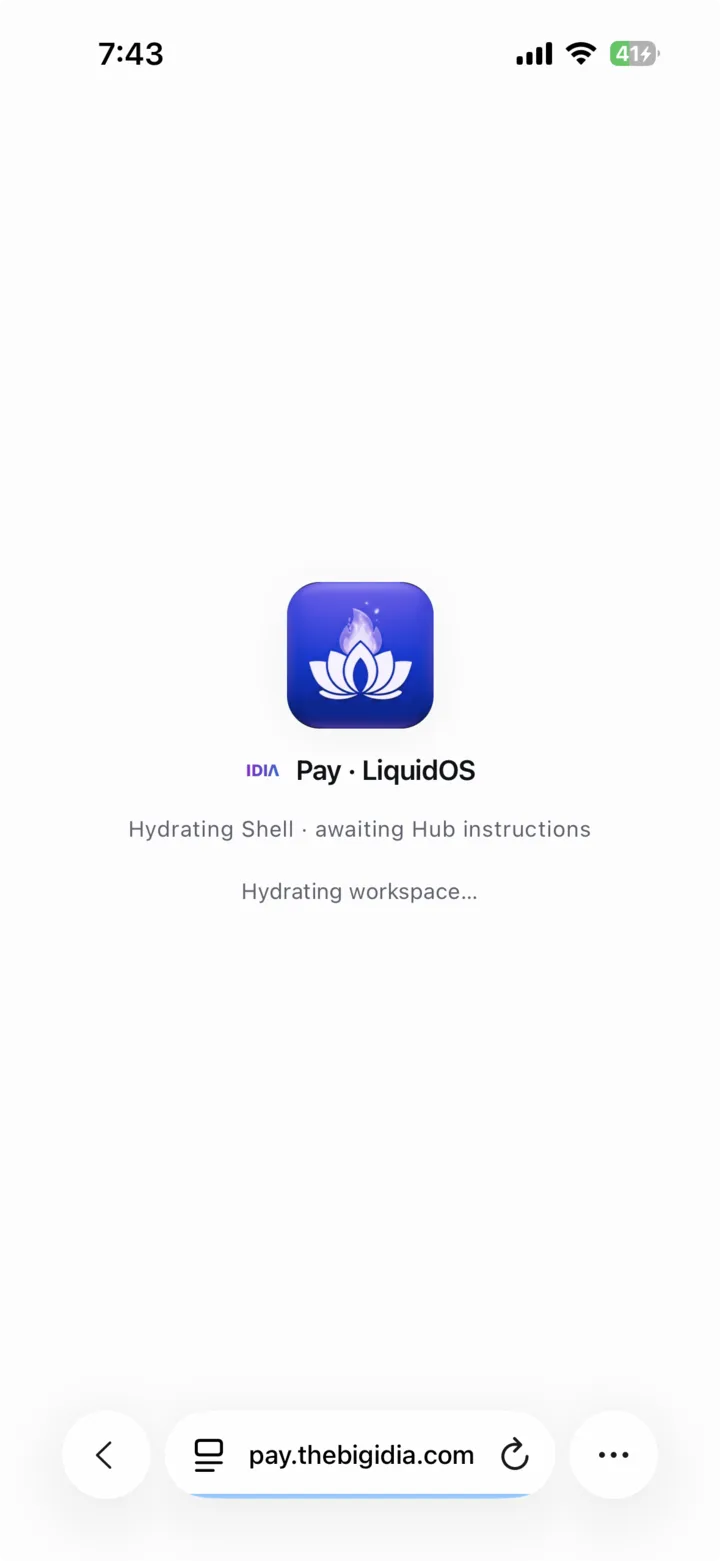
    LiquidOS, the IDIA Pay shell, pulls your business's Modules from The IDIA Hub and builds the workspace on that device.

    IDIA Pay — LiquidOS loading. After Life by IDIA sign-in, LiquidOS hydrates the workspace while it waits for the business's setup from The IDIA Hub.

    Real screenshotIDIA Pay

    LiquidOS loading

For emergencies

If a terminal's battery dies or a unit breaks, staff can pick up any Android phone or tablet with a browser, bind it with the Organization Code and sign in with Life by IDIA. That device needs no setup beforehand.

Company-stated; IDIA Pay is still in testing.

Built in the Hub App Builder

Each business gets an app made for it.

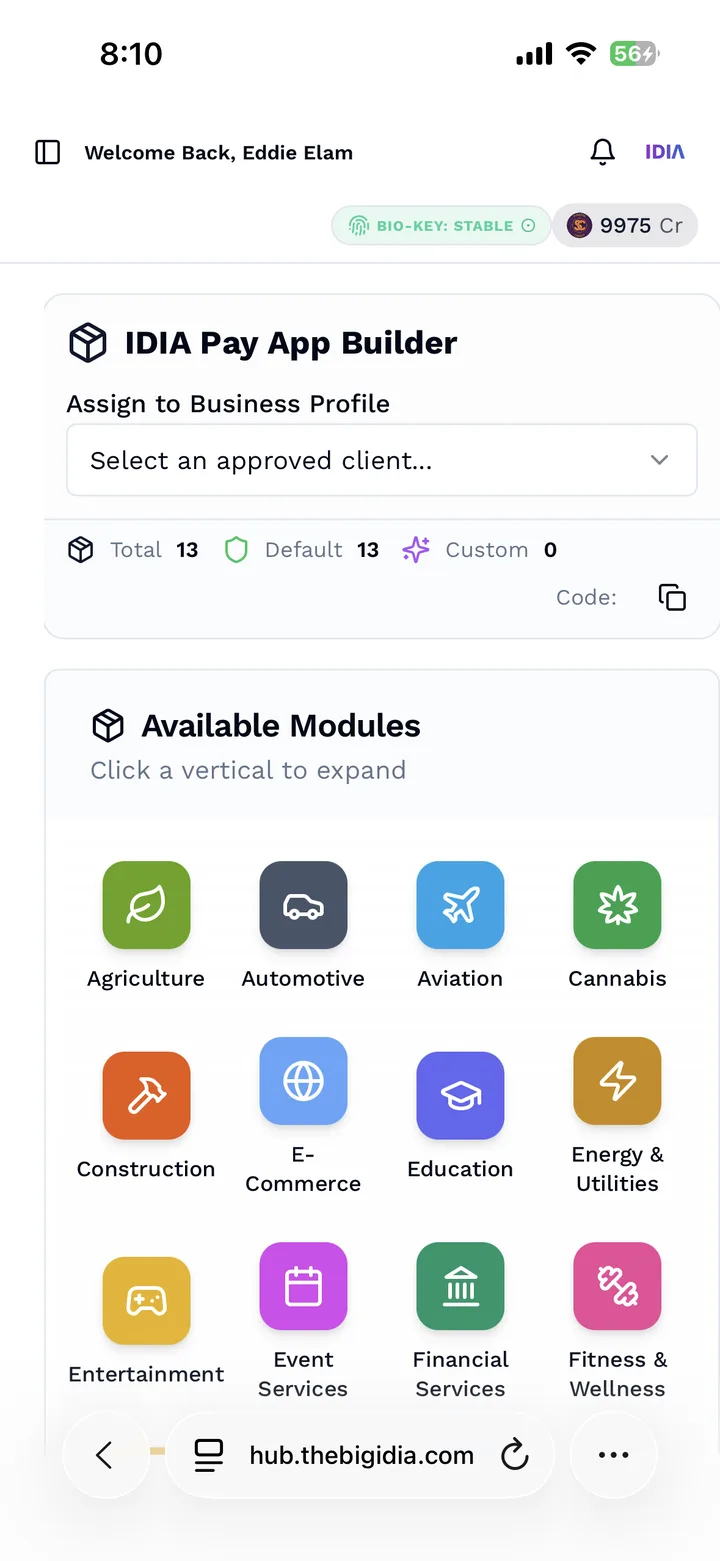
In The IDIA Hub, the IDIA Pay App Builder assigns a business profile and lets you pick its Modules. The device then loads exactly that setup when staff sign in.

Modules
89
Sub-modules
340

Active entries in the IDIA Pay taxonomy, counted October 26, 2026.

  • Agriculture
  • Automotive
  • Aviation
  • Cannabis
  • Construction
  • E-Commerce
  • Education
  • Energy & Utilities
  • Entertainment
  • Event Services
  • Financial Services
  • Fitness & Wellness
  • and more
The IDIA Hub — IDIA Pay App Builder. Assign a business profile, then pick from Available Modules (verticals such as Agriculture, Aviation and Fitness & Wellness) to build that business's IDIA Pay app.

Real screenshotThe IDIA Hub

IDIA Pay App Builder

Assign a business profile, then pick from Available Modules (verticals such as Agriculture, Aviation and Fitness & Wellness) to build that business's IDIA Pay app.

Credit balance shown is from a team account.

Modules to Pico Bites

How an IDIA Pay app is put together.

From the industry down to a single tap, largest to smallest.

  1. Verticals

    Modules

    The industry a business is in, such as Hospitality, Agriculture or Aviation.

    Example Hospitality

  2. Business type

    Sub-modules

    The kind of business inside that industry. Each one sets the screens and tools it starts with.

    Example Food Truck

  3. Federal industry code

    NAICS taxonomy

    Each sub-module is tagged with a NAICS code, the U.S. government's industry classification, so data streams line up with how buyers already sort industries.

    Example Salon → 8121 Personal Care Services

  4. Logic

    Nano Bites

    A single screen's working brain: it holds the ticket in progress and decides which actions the screen needs and in what order.

    Example Mobile POS Sale puts item add and contactless tap first, then split and tip

  5. Headless & liquid

    Pico Bites

    The smallest single actions. Headless means the logic runs without a fixed screen; liquid means the same action reshapes itself to fit whatever device it lands on.

    Example Contactless Tap, Offline Fallback, Split Even, Tip & Close

Real Pico Bites from the food truck sub-module

  • Quick-Fire Item Add
  • Contactless Tap
  • Offline Fallback
  • Cloud Re-Sync
  • Split Even
  • Tip & Close
  • KDS Fire Ticket
  • Long-Press 86

NAICS examples from the taxonomy: Salon → 8121 Personal Care Services · Brewery → 3121 Beverage Manufacturing · Dental → 621 Ambulatory Health Care Services.

Hardware & network

Rugged devices, and a lane of its own.

Zebra Technologies logo

Registered Zebra ISV Partner

IDIA Data Inc. is registered with Zebra Technologies as an ISV (independent software vendor) Partner. Zebra makes rugged Android handhelds and mobile computers used in retail, hospitality and warehouses, and IDIA Pay is being built to run on them.

Company-stated. Partner registration is not a Zebra endorsement or certification of IDIA Pay.

Our network suggestion: 5G network slicing

Network slicing splits one 5G network into separate lanes, each with its own speed and reliability settings. Where IDIA Pay is set up, we suggest giving payment devices their own slice, so card traffic isn't competing with guest Wi-Fi or video.

A recommendation, not a carrier partnership. Availability and cost depend on your carrier.

Data royalties for business

Planned

Your sales already make data. You could share in what it earns.

  1. 01

    Your business already makes data

    Every sale, item, ticket time and stock count is a record buyers study to understand how people really spend.

  2. 02

    Today, you aren't paid for it

    Card processors and point-of-sale providers use that data under their own terms. Neither Stripe nor Toast publishes a program that pays merchants for it.

  3. 03

    With IDIA Pay, you choose what to share

    Pick the data streams to share. When a buyer in The IDIA Hub spends Synapse credits on them, 30% of the sale goes to contributors, paid in USDC plus the same number of IDIA Tokens.

  4. 04

    Every share is on record

    Each sale carries a consent record and a Liability Receipt NFT on Base, making it a Verified Truth. Exactly what's shared, and how it's de-identified, will be set out in the IDIA Pay terms before launch.

What is a Verified Truth?

Fee & royalty estimator

What you pay to take cards, and what your data could pay back.

Time range

Sales a month

Average sale

How customers pay you on IDIA Pay

20% Life by IDIA, 10% outside USDC, 70% cards. Illustrative mix, not IDIA data.

IDIA Pay plan

Web point of sale, tap to pay on your own device, free Life by IDIA payments and basic sales records.

Over 1 month

Processing fees: IDIA Pay vs. published rates

IDIA Pay fees in this example

$654

including the Standard plan

Next to Stripe Terminal (in person)

$216 less

before any data royalties

IDIA Pay planned rates
Payment typeRatePaid out
Life by IDIA wallet → IDIA PayCustomer pays from their Life by IDIA balance0%Instant, on Base
Life by IDIA → Life by IDIAPerson to person0%Instant, on Base
Outside USDC & off-rampUSDC from an outside wallet, or moving your balance to your bank1.5%Instant on Base / same-day ACH
Cards in personTap to pay on the device, or chip2.5% + 10¢1–2 business days
Cards online or keyedOnline checkout or typed-in card2.8% + 20¢2 business days

IDIA Pay rate sheet, based on the white paper The Verified Truth Economy (updated October 14, 2026). Company-stated planned rates; IDIA Pay is not live yet.

How this is worked out
  1. Stripe and Toast: sales × the provider's % + number of sales × its fixed fee + any monthly plan fee.
  2. IDIA Pay: your sales are split by the payment mix, then each part is charged its own rate above, plus the plan's monthly fee.
  3. Card sales on IDIA Pay are counted as in-person cards (2.5% + 10¢).
  4. Number of sales = sales ÷ average sale.
  • IDIA Pay is in progress and not available yet. Its rates are planned and can change before launch.
  • Life by IDIA payments only cost 0% when your customer pays from a Life by IDIA balance.
  • Card fees are list prices; interchange, card mix and your own quote can change them.

IDIA Pay vs Stripe & Toast

How IDIA Pay compares.

  • What it is

    Stripe

    A payments platform, with Stripe Terminal for in-person sales.

    Toast

    A restaurant point of sale with payments built in.

    IDIA Pay

    A point of sale put together for each business from Modules in The IDIA Hub. In progress.

  • Card & payment rates

    Stripe

    2.9% + 30¢ online; 2.7% + 5¢ in person.

    Toast

    2.49% + 15¢ on the $69-a-month plan; 3.09% + 15¢ on the $0 Starter Kit.

    IDIA Pay

    Planned: 2.5% + 10¢ in person; 2.8% + 20¢ online; 0% when customers pay from Life by IDIA; 1.5% for outside USDC and off-ramp.

  • Devices

    Stripe

    Stripe readers or certified third-party readers.

    Toast

    Toast hardware, bought upfront or financed.

    IDIA Pay

    Any Android device with a browser, including Zebra handhelds.

  • If a device fails

    Stripe

    Cannot compare here.

    Toast

    Cannot compare here.

    IDIA Pay

    Bind any Android device with the Organization Code and sign in with Life by IDIA.

  • Paid for your business data

    Stripe

    Cannot compare here.

    Toast

    Cannot compare here.

    IDIA Pay

    Planned: royalties in USDC plus IDIA Tokens when Hub buyers use the streams you share.

Stripe and Toast rates are their published U.S. list prices, checked October 26, 2026; your quote can differ. Stripe and Toast are trademarks of their owners. IDIA has no affiliation with either.

Join the beta waitlist

Be first to try IDIA Pay.

IDIA Pay isn't ready to download yet. Join the beta waitlist and we'll contact you when there's a place for your business. Tell us what you run and the devices you use, and we'll match you to the right Modules.

Join the IDIA Pay Beta Waitlist

This opens your email app with a short message ready to send to eddie@thebigidia.com. No email app? Write to that address with the subject “IDIA Pay Beta Waitlist”. This website doesn't store your details.