Life by IDIA · iOS app

The wallet where your data, consent and royalties live.

Life by IDIA is where the product journey starts. Connect a source, keep the consent record, and receive USDC plus IDIA when a buyer's purchase includes your data. It is your entry point to the Verified Truth Economy, where the data you consent to share becomes your Universal Basic Asset and our Verified Truth.

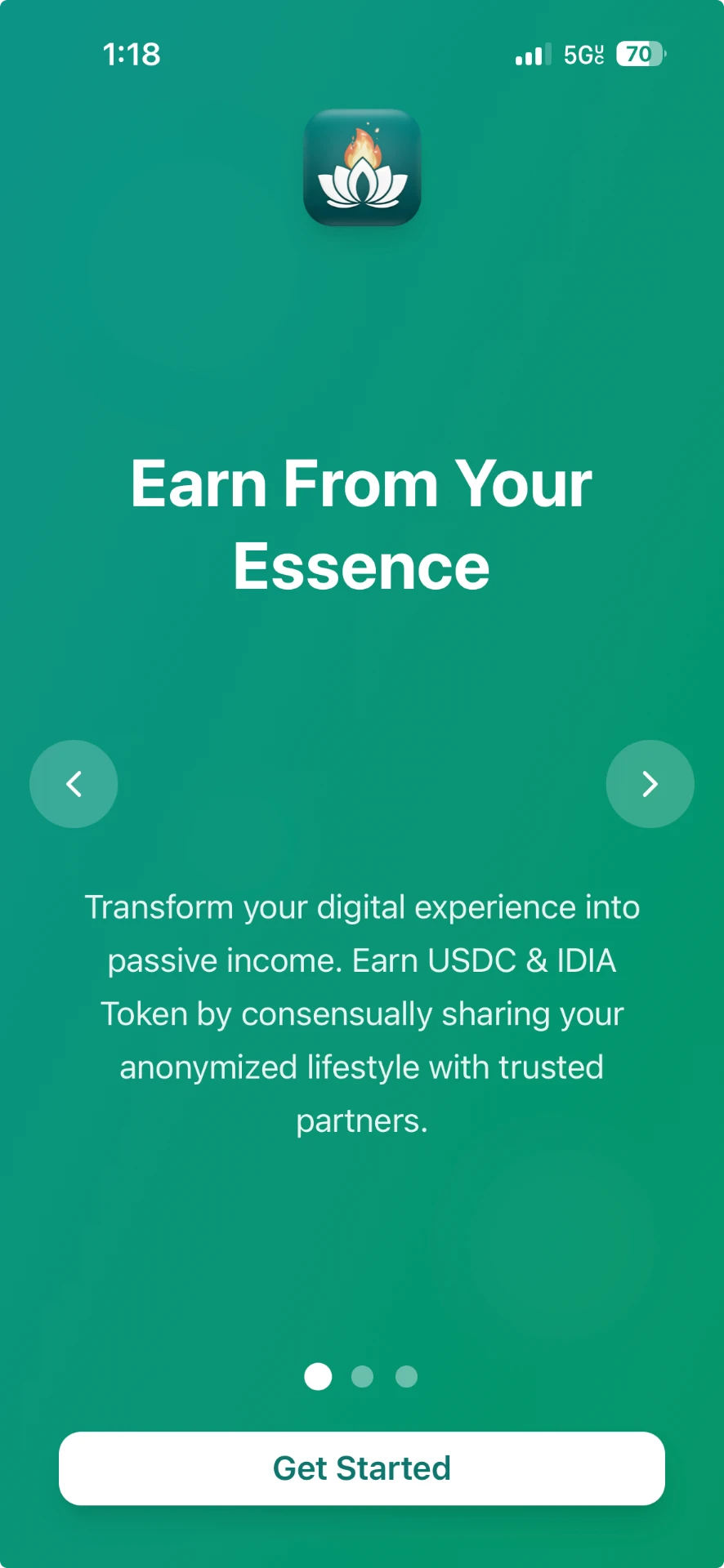
Life by IDIA — Opening screen. The splash screen shown when Life by IDIA opens on iPhone.

Real screenshotLife by IDIA

Opening screen

Why people want this

Extra income shouldn't cost another shift.

Millions of Americans already take on side work for extra money, many to cover the basics, and many are worn out by it. Life by IDIA offers a different kind of income: your data, shared with your permission, instead of taking more of your free time.

U.S. side hustlers

Tap a figure to see it on the chart

53%need it for essentials

53% of side hustlers say they would struggle to cover essential expenses without that extra income. (The Penny Hoarder, September 2026)

Average monthly side-hustle earnings, 2024

Side work pays, but it is paid in hours.

Hover or tap a bar for the detail. Source: Bankrate, July 2024.

  • Your time

    Side hustle · Hours every week, on top of a main job.

    Life by IDIA · A one-time connection in the Data tab. Nothing to do each week.

  • What you are paid for

    Side hustle · Each shift, task or delivery you complete.

    Life by IDIA · Your share of the 30% contribution split whenever a buyer's purchase includes your records, in USDC plus an equal number of IDIA Token.

  • How much

    Side hustle · U.S. side hustlers averaged $891 a month in 2024 (Bankrate).

    Life by IDIA · No fixed amount. It depends on buyer demand and is not a replacement for a paycheck.

  • Stopping

    Side hustle · Quit the gig.

    Life by IDIA · Disconnect a stream any time and you will still earn from your already ingested data or purge your identity in Settings to completely exit.

Royalty estimator · health data

What could your health data earn?

Built on the real Hub prices and the 30% contributor share. Buyer demand is a made-up scenario you can change, because there isn't enough real buying history yet to forecast from.

Your devices

Buyer demand

Illustrative scenario, not a forecast or IDIA data.

1 day1 year

Estimate over 1 month

Your possible royalty

USDC

$3.38 – $4.22

Plus IDIA Tokens (1:1)

3.38 – 4.22 IDIA

How this is worked out
  1. 500 health queries a day on the Hub (Typical scenario, estimated).
  2. 25% include your records with iPhone + Apple Watch (estimated) = 125 a day.
  3. Each uses 5 credits (estimated).
  4. A credit costs the buyer $0.60–$0.75 (real Hub prices).
  5. 30% of each sale goes to contributors (real setting).
  6. Shared among 1,000 contributors per query (estimated).
  7. IDIA Tokens are paid 1:1 with the USDC (real setting).
  • This is not a promise of earnings. There is no fixed yield.
  • You are paid only when a buyer's purchase includes your consented records.
  • Demand, match rates and contributor counts are invented for illustration, not IDIA results.
  • Royalties are paid in USDC and IDIA Tokens only, never dollars to a bank account.
  • The IDIA Token's market value can rise or fall; this shows token counts, not their price.
  • Turning off a stream or purging your identity stops future royalties.

Inside the app

All five tabs, in app order, as they look today.

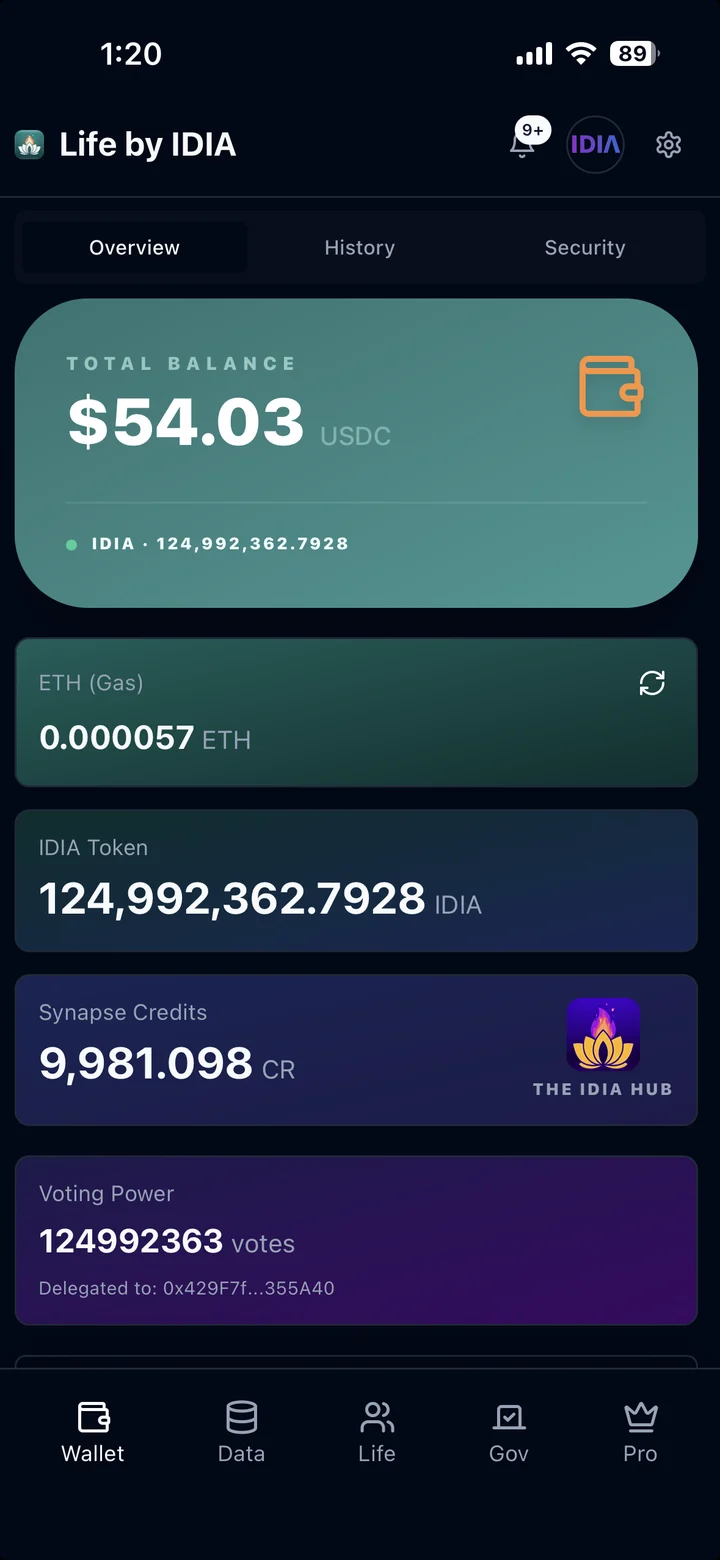
Life by IDIA — Wallet tab · Overview. USDC, IDIA, gas (ETH), Synapse Credits and DAO voting power in one wallet on Base.

Real screenshotLife by IDIA

Wallet tab · Overview

USDC, IDIA, gas (ETH), Synapse Credits and DAO voting power in one wallet on Base.

Balances are from a team account, not typical earnings.

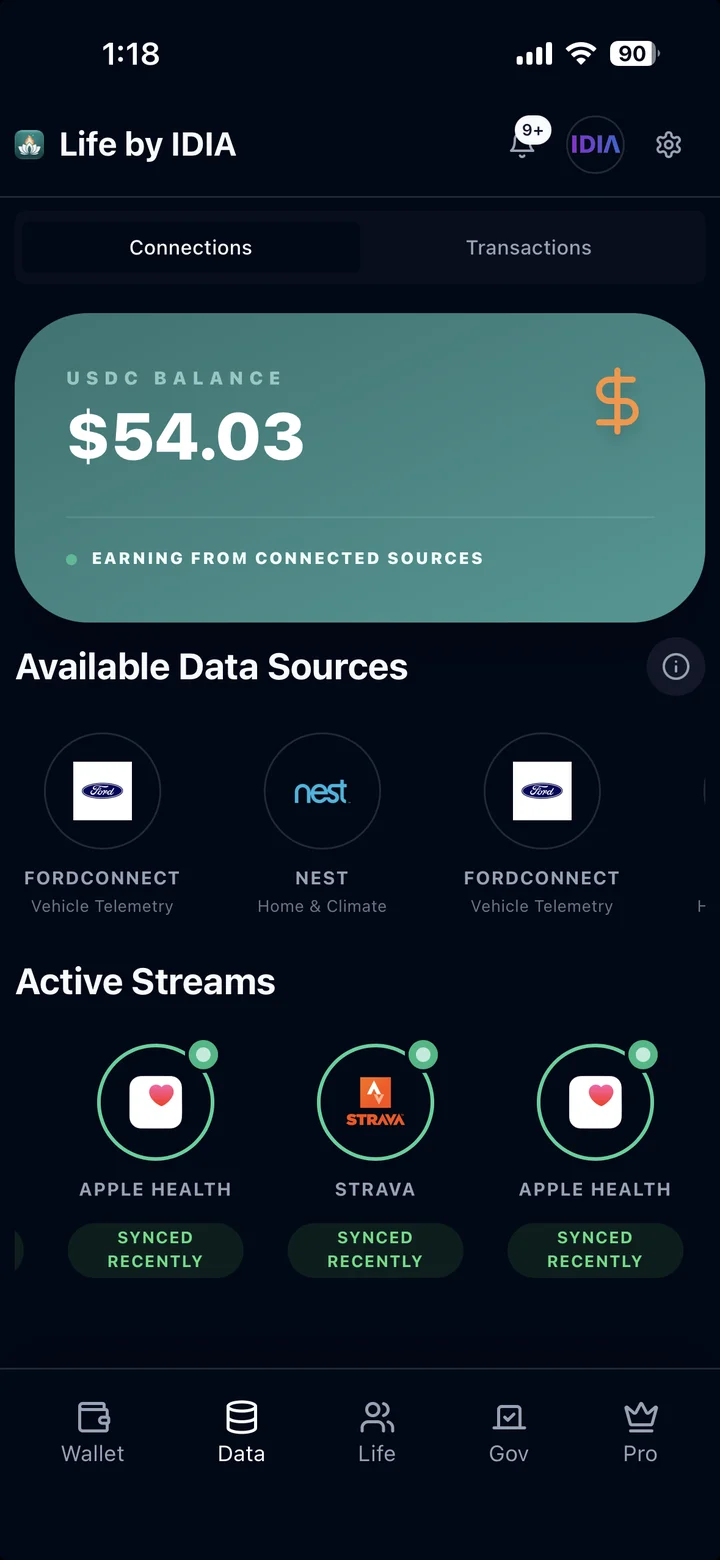
Life by IDIA — Data tab · Connections. Available sources (FordConnect, Nest) and active streams (Apple Health, Strava) marked Synced Recently.

Real screenshotLife by IDIA

Data tab · Connections

Available sources (FordConnect, Nest) and active streams (Apple Health, Strava) marked Synced Recently.

Balance shown is from a team account, not a typical earning.

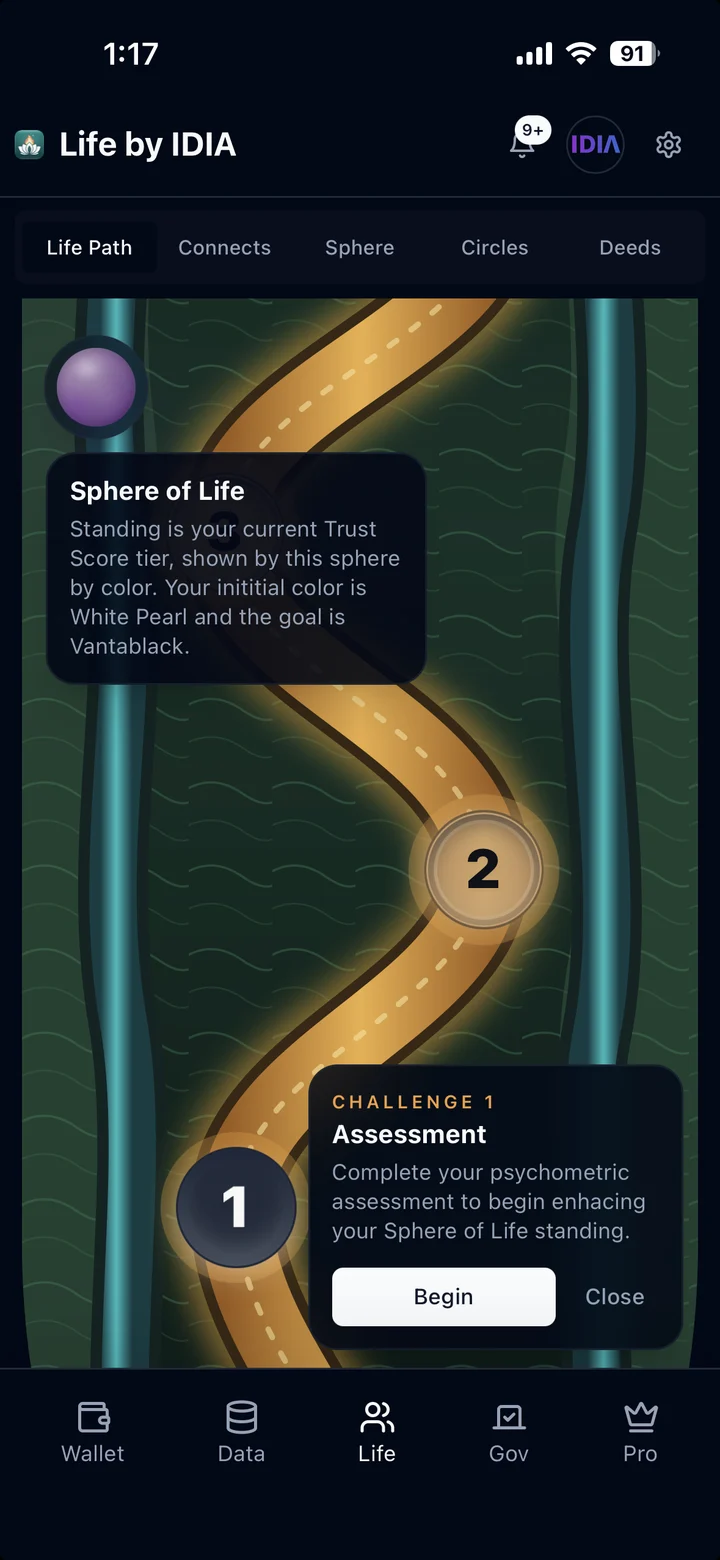
Life by IDIA — Life tab · Life Path. The challenge map. Challenge 1 is a psychometric assessment that starts your Sphere of Life standing.

Real screenshotLife by IDIA

Life tab · Life Path

The challenge map. Challenge 1 is a psychometric assessment that starts your Sphere of Life standing.

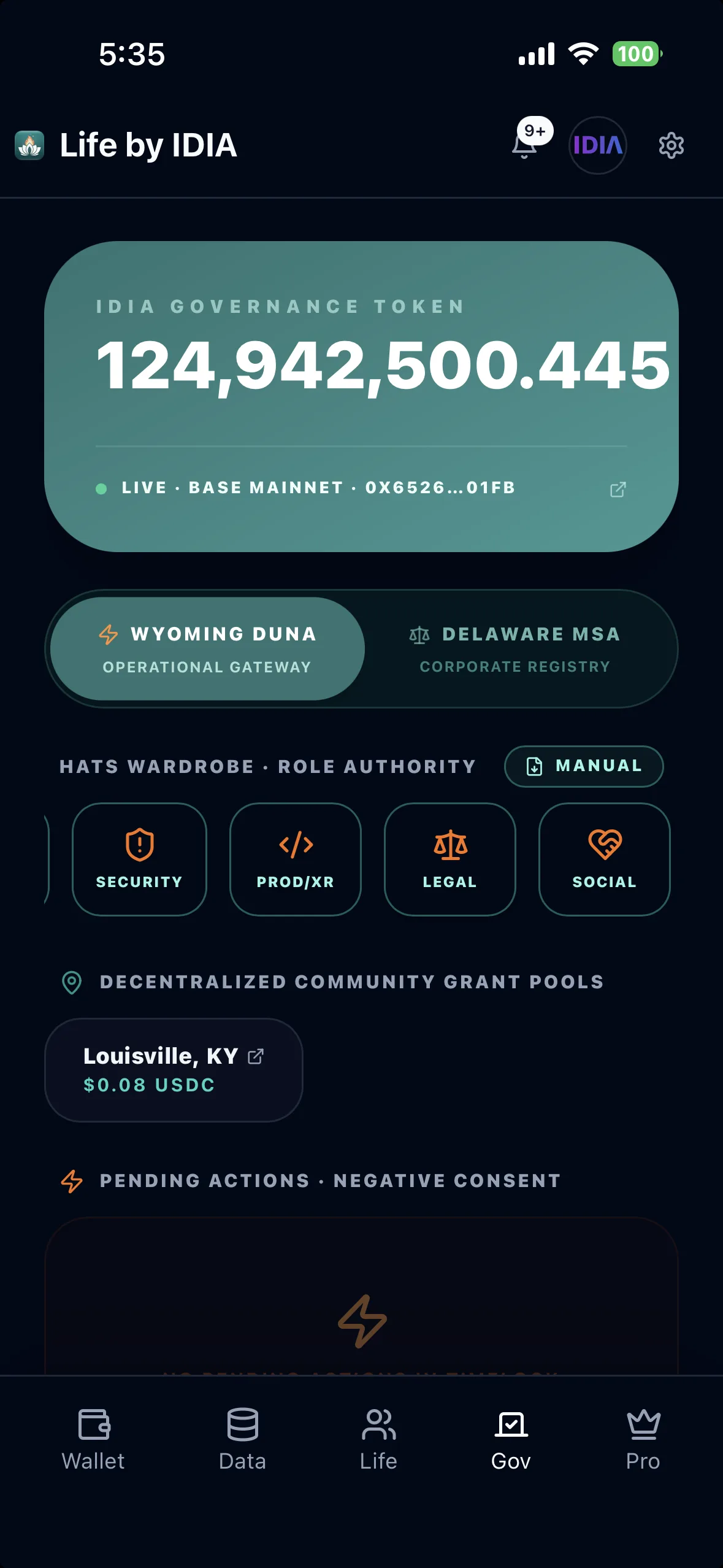
Life by IDIA — Gov tab · Governance. IDIA Governance Token balance on Base, the Hats wardrobe of committee roles, community grant pools such as Louisville, KY, and pending DAO actions. The DAO is a Wyoming DAO LLC today; the DUNA switch happens at 100 members.

Real screenshotLife by IDIA

Gov tab · Governance

IDIA Governance Token balance on Base, the Hats wardrobe of committee roles, community grant pools such as Louisville, KY, and pending DAO actions. The DAO is a Wyoming DAO LLC today; the DUNA switch happens at 100 members.

Token balance is from a team account, not a typical holding.

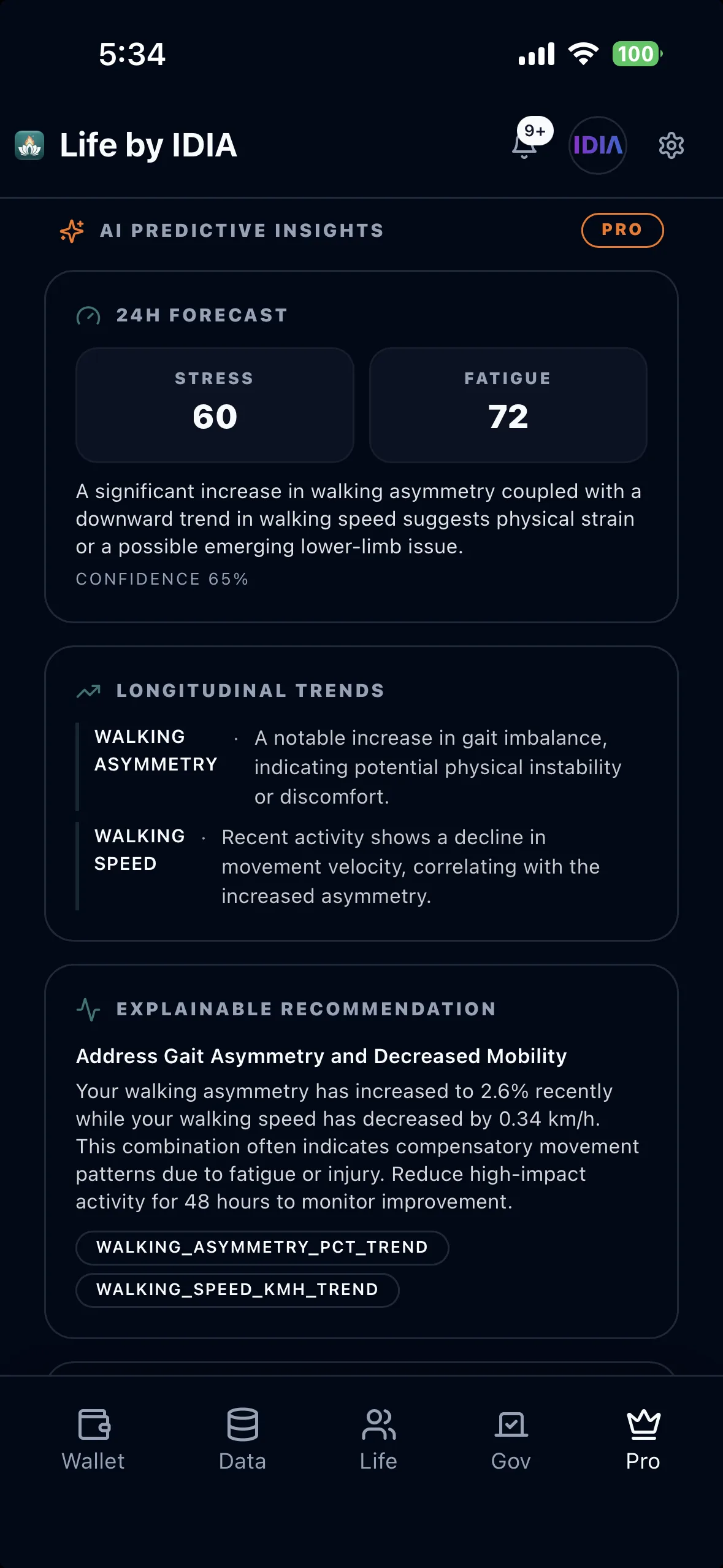
Life by IDIA — Pro tab · AI insights. AI insights from your own connected health data: a 24-hour stress and fatigue forecast, longer-term trends and a recommendation that names the data behind it. General wellness information, not medical advice.

Real screenshotLife by IDIA

Pro tab · AI insights

AI insights from your own connected health data: a 24-hour stress and fatigue forecast, longer-term trends and a recommendation that names the data behind it. General wellness information, not medical advice.

Your Data

Live now

Connect what you already use. Every reading keeps its consent.

The Data tab is where you connect sources, see which streams are active and turn any of them off. Four sources cover your health, your workouts, your car and your home.

Apple Health logo

Apple Health

Health & wearables

Confirm with Face ID, then choose which Health categories to allow on the iOS permission screen.

What it sends

  • Steps and active energy
  • Heart rate and heart rate variability
  • Breathing rate, blood oxygen and body temperature
  • Walking speed, step length and gait
  • Sleep
  • Noise and UV exposure

Devices that feed it

  • iPhone
  • Apple Watch
  • Smart rings such as Oura
  • Smart scales such as Withings
  • Garmin watches, through Garmin Connect

Anything that writes to Apple Health on your iPhone. Your readings stay on the phone until it sends them.

Strava logo

Strava

Workouts & sport

Confirm with Face ID, then sign in to Strava and approve Life by IDIA.

What it sends

  • Activities and workouts
  • Route and distance
  • Pace and heart rate
  • Elevation and effort

Devices that feed it

  • Garmin, COROS and Wahoo devices
  • Apple Watch
  • Indoor apps such as Zwift
  • The Strava phone app

Anything that uploads activities to your Strava account.

FordConnect logo

FordConnect

Vehicles

Confirm with Face ID, then sign in to your Ford account and approve access to your vehicle.

What it sends

  • Location and movement
  • Driving dynamics
  • EV and battery level
  • Vehicle health and security

Devices that feed it

  • Mustang Mach-E
  • F-150 Lightning
  • F-150, Bronco, Explorer and other connected Ford models

Ford vehicles with Ford's built-in connected service switched on. Check yours in the FordPass app.

Nest logo

Nest

Home devices (IoE)

Confirm with Face ID, then sign in with the Google account that runs your Nest devices and approve access.

What it sends

  • Thermostat and climate
  • Home occupancy
  • Device activity
  • Energy patterns

Devices that feed it

  • Nest Learning Thermostat
  • Nest Thermostat
  • Nest Temperature Sensor
  • The heating and cooling system they control

Nest devices linked to your Google account.

Device names are common examples, not partners or devices IDIA has tested. On Android, Health Connect plays the part of Apple Health.

Connecting a source

  1. 1

    Open the Data tab and tap a source under Available Data Sources.

  2. 2

    Tap Connect Data and confirm with Face ID. This ties the consent to you and your device.

  3. 3

    Approve access on Apple's, Strava's, Ford's or Google's own screen.

  4. 4

    The source moves to Active Streams and shows how recently it synced.

Each step leaves an ACA

Connecting, syncing and disconnecting a source are all consent actions, so each one makes an Auditable Consent Artifact. You can see them in the Audit Log under Data, then Transactions.

What an ACA is

Real screen recordingLife by IDIA

Data tab · Connecting Apple Health

Tap Connect Data, confirm with Face ID so the consent record is tied to you, allow the Health permissions in iOS, and Apple Health appears under Active Streams as Synced Recently.

Balance shown is from a team account, not a typical earning.

How your data flows, and comes back

  1. 1

    You live your day

    Your watch, phone, car or thermostat records readings as you go.

  2. 2

    The source holds it

    Apple Health keeps it on your iPhone. Strava, Ford and Google keep theirs in your account.

  3. 3

    Life by IDIA syncs

    Every 6 hours, Strava, Ford and Nest are checked for new readings and your phone is asked to send new Apple Health data. Each sync makes an ACA.

  4. 4

    Synapse Engine links it

    Each record is tied to the consent behind it and offered in The IDIA Hub as part of a data stream.

  5. 5

    A buyer uses it

    The Hub checks the ACAs before any data leaves and lists them on the buyer's receipt.

  6. 6

    It comes back to you

    USDC plus IDIA in your Wallet when a purchase includes your data, and Pro insights and the Friend assistant explaining your own readings.

Then the loop starts again: the more you move, sleep, drive or heat your home with sources connected, the more readings there are to sync. Royalties are not guaranteed. They depend on buyers choosing data that includes yours. Insights are general wellness information, not medical advice.

Turning sharing off

In Life by IDIA

  • Data tab: open a source and tap Disconnect. The stream stops and the disconnect is recorded as its own ACA.
  • Settings, Privacy: the Health Kit switch turns off health syncing in Life by IDIA.

In your iPhone's privacy settings

iPhone Settings → Privacy & Security → Health → Life by IDIA

Switch off any category, or tap Turn Off All. An app can't take back an iOS permission itself, so this is where you withdraw Apple's permission completely. You can also get there from the Health app: tap your profile picture, then Apps.

For Strava, Ford and Nest, you can also remove Life by IDIA from that service's own account settings.

Turning a source off stops new readings and future royalties from it. It does not undo sales already made under an active consent. Deletion & Revocation

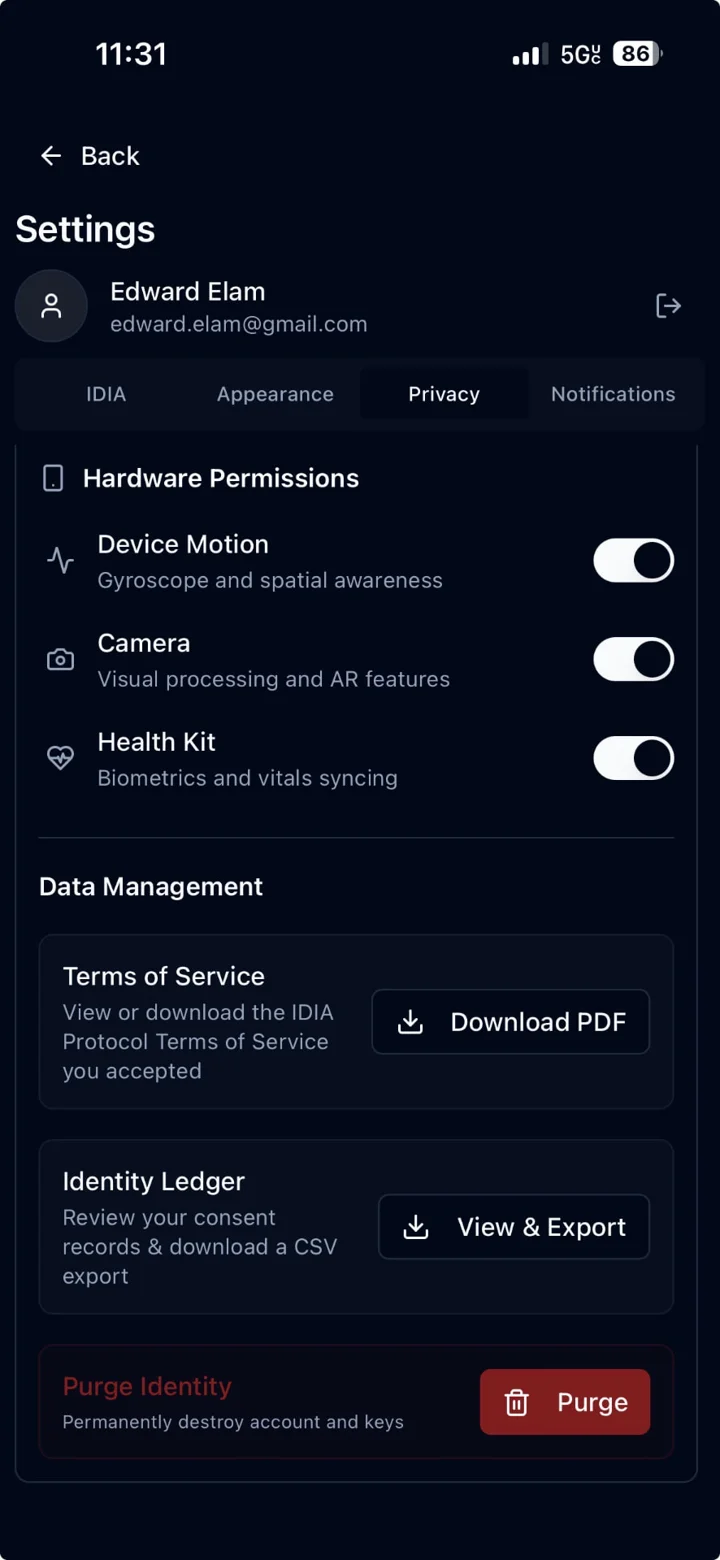
Life by IDIA — Settings · Privacy. Hardware permissions (Device Motion, Camera, Health Kit) switch on and off here. Data Management lets you download the Terms you accepted, view and export your consent records as a CSV, and Purge Identity to delete your account and keys.

Real screenshotLife by IDIA

Settings · Privacy

Hardware permissions (Device Motion, Camera, Health Kit) switch on and off here. Data Management lets you download the Terms you accepted, view and export your consent records as a CSV, and Purge Identity to delete your account and keys.

Live now

Every consent action leaves a fingerprint you can see.

An Auditable Consent Artifact (ACA) is a digital fingerprint that IDIA creates every time you take a consent action. It records that the action happened, from your account and your device, and when. Each one is a unique code called the ACA hash.

What goes into one

  • Your account
  • A key held in your device's secure chip, unlocked with Face ID on iPhone or your device's passkey on the web
  • What the action was
  • The exact time

When one is made

  • Connecting or syncing a data source, such as Apple Health or Strava
  • Data arriving through IDIA's intake gate, shown as Vulture Gateway
  • Accepting the Terms or making your Authority of Record decision
  • DAO actions: proposals, votes, vetoes and committee applications

Your transaction log

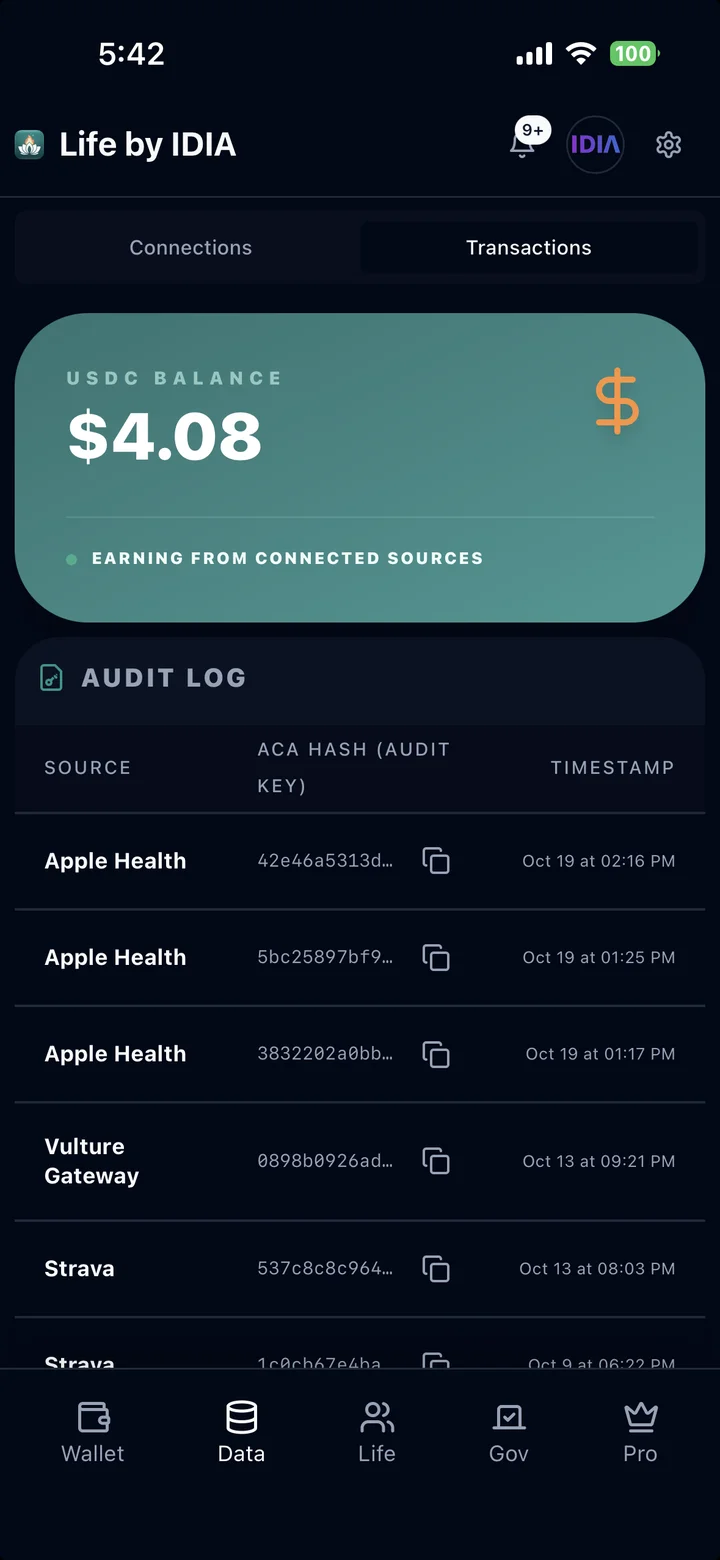
Open the Data tab, then Transactions. The Audit Log lists every ACA your actions have created: the source, the ACA hash (your audit key) and the time, newest first. Copy any hash with one tap. In Settings, Privacy, you can also export your consent records as a CSV file.

When a buyer's request uses your data, the receipt in The IDIA Hub lists the ACAs it drew on. See step 03 · Egress Logs.

IDIA's Own Method

Proprietary

The ACA is IDIA's own design. How an ACA is built, stored and checked was developed in-house and is not an open standard or open-source code, so we describe it here rather than publish it. What you can see is the result: the ACA hashes themselves, in your Audit Log and on every buyer receipt.

What an ACA does not prove

  • An ACA shows that a recorded consent action happened, from which account and device, and when. It does not show that the data is accurate, anonymous or safe for a buyer's use.
  • A hash is a fingerprint, not a copy. It contains none of your health data.
  • ACAs are kept in IDIA's own records. The on-chain parts of a sale are the Liability Receipt NFT and the USDC and IDIA settlement.
  • The method has not been independently reviewed yet. That review is planned.
Provenance vs certification
Life by IDIA — Data tab · Transactions · Audit Log. Your own list of Auditable Consent Artifacts: the source each one came from (Apple Health, Strava, Vulture Gateway), its ACA hash (the audit key, with a copy button) and when it was made, newest first.

Real screenshotLife by IDIA

Data tab · Transactions · Audit Log

Your own list of Auditable Consent Artifacts: the source each one came from (Apple Health, Strava, Vulture Gateway), its ACA hash (the audit key, with a copy button) and when it was made, newest first.

Balance shown is from a team account, not a typical earning.

  • Live now

    Data

    Data tab

    Connect Apple Health, Health Connect, FordConnect, Nest and Strava. See each stream's sync status, disconnect any time, and view every consent record with its audit hash.

  • Live now

    Wallet

    Wallet tab

    Hold USDC and IDIA on Base. Royalty payouts appear as "Data Sale Payout" (USDC) and "IDIA Royalty Yield" (IDIA). Includes reminders to back up your recovery phrase.

  • Live now

    Consent checks

    Onboarding

    Age verification, the current Terms of Service and an Authority of Record decision, all before any data is connected. When a required version changes, everyone is asked again.

  • Live now

    Governance

    Gov tab

    IDIA DAO proposals, committees, compliance queue, audit feed and treasury flows, with links to check transactions on Basescan.

  • Live now

    Life journey

    Life tab

    A challenge map that guides you through the app's actions, with achievements as you go.

  • Live now

    Pro

    Pro tab

    Paid extras such as personal insight dashboards and a psychometric testing center.

  • Live now

    Friend assistant

    Throughout the app

    A built-in AI assistant that explains what is happening, for example when a new data event arrives.

  • In progress

    Shop and IDIA Pay

    Shop tab

    In-app shopping and payments. Only shown to a user once payments are ready for them.

The Data tab is step one of the main product journey. See how a connection becomes a royalty.

Follow the journey